Safety Warning: Always turn off the trimmer and prevent accidental starting before installing or removing a brush cutter blade. Wear protective gloves when handling the blade. Follow the manufacturer’s instructions for the appropriate protective equipment during startup and operation. Never use a blade, guard, or mounting part that is not approved for your trimmer.
Now that you have your brush cutter blade, mounting hardware, and a string trimmer approved to use them, you’re ready to install the blade. The process looks straightforward, but a few questions tend to come up once the string head is off. What goes where? Which direction should the blade face? How can you tell whether it’s secure?
If you still need to double-check that your trimmer and blade work together, see Can You Put a Brush Cutter Blade on a String Trimmer? This guide focuses on installation. Keep your trimmer’s manual close at hand, since the mounting arrangement and tightening instructions depend on the model.

What Do You Need to Install a Brush Cutter Blade?
You need the approved blade and guard, the mounting hardware specified for your trimmer, a shaft-locking tool, and the correct wrench or scrench. You’ll also need the owner’s manual to confirm how those parts go together.
The hardware varies from model to model. You may have a drive plate, washer, spacer, retainer, or nut, each with a particular place in the assembly. An adapter or dedicated mounting kit may also be required, and it may be sold separately. Check the approved mounting setup for your exact model rather than assuming the blade package contains every part you need.
Lay out the parts before you begin. If you have the complete kit for your model, you won’t have to stop halfway through and wonder whether a piece is missing.
How Do You Install a Brush Cutter Blade on a String Trimmer?
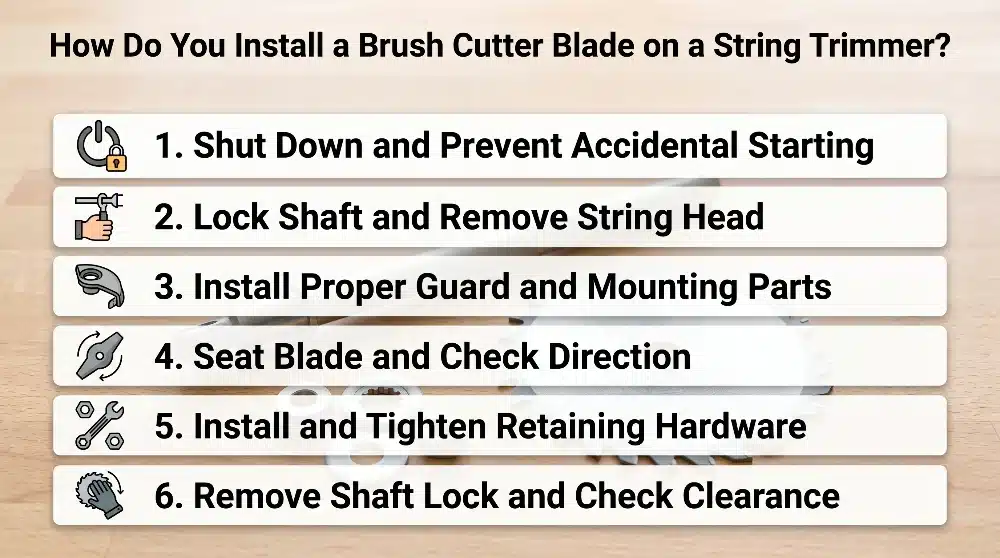
First, prevent the trimmer from starting. Then lock the shaft, remove the string head, fit the approved guard and mounting parts, seat the blade, and secure it. Finish by checking that the blade sits flat and clears the guard. Follow your trimmer’s manual wherever its procedure differs from the general steps below.
1. Shut Down the Trimmer and Prevent Accidental Starting
Turn off the trimmer and wait for the cutting head to stop completely. Before working on the head, follow your manufacturer’s instructions for preventing an accidental start. That may mean removing the battery, unplugging the machine, or disconnecting the spark plug lead, depending on the model.
You’ll be working directly around the blade mount and drive shaft. Make sure the machine cannot start while your hands are there.
2. Lock the Shaft and Remove the String Head
Lock the shaft using the mechanism or tool specified for your trimmer, then remove the string head. On models that use a locking hole or slot, rotate the head as directed until the locking tool seats properly. Use the correct wrench or scrench to loosen the attachment.
As the head comes off, note the parts underneath. Some mounting hardware may be reused with the blade, while other pieces belong only to the string-head assembly.
Check the thread direction before applying force. A conventional right-hand thread loosens counterclockwise, but some trimmer attachments use left-hand threads. Follow the direction specified for your model rather than assuming it matches other nuts you’ve used.
3. Install the Proper Guard and Mounting Parts
Install the guard approved for your brush cutter blade, then fit the lower mounting parts in the order shown in your trimmer’s instructions. The blade needs the correct support underneath it before you secure anything on top.
There can be slight differences in the parts included with each model. Your setup might use a drive plate, washer, spacer, or other locating part. The drive plate, in particular, needs to seat properly against its mounting surface to support the blade.
Don’t skip a washer or spacer just because the blade appears to fit without it. Likewise, don’t use a part from another blade setup just because it looks similar. With the right parts in the right places, the blade has a flat, properly located surface to rest against.
4. Seat the Blade and Check Its Direction
Place the blade over the mounting point and make sure its center hole fits the locating part specified for your setup. The blade should sit flat. It shouldn’t tilt, slide around, or rest against only one side of the mount.
Check the blade’s direction before tightening the hardware. If the blade has a rotation arrow or another direction mark, follow it along with your trimmer’s instructions. Don’t judge the direction by the way the teeth look alone.
Take one more look from the side while the blade is still easy to reposition. An off-center or improperly seated blade can contribute to vibration when the cutting attachment is running.
Not sure whether you have the right blade for the vegetation you’ll be cutting? Brush Cutter Blade Types and Uses explains what different blade styles are intended to do.

5. Install and Tighten the Retaining Hardware
With the blade seated correctly, install the remaining mounting hardware in the sequence specified for your trimmer. Where applicable, start the retaining hardware by hand. If it binds, back it off and check the alignment and thread direction before tightening it.
Hardware placement, thread direction, and tightening requirements can all differ by model. Two assemblies may look nearly identical and still require different procedures, so use the instructions for your trimmer.
Keep the shaft secured with its specified locking mechanism while you tighten the hardware. Don’t try to hold the blade by its cutting edges. Tighten it as directed, then check that the blade remains flat and secure.
6. Remove the Shaft Lock and Check Blade Clearance
Remove the shaft-locking tool before the trimmer is used. With the power still isolated, check that the blade is centered, the retaining hardware is secure, and the blade does not touch the guard.
If the manufacturer permits a manual rotation check, carefully turn the cutting attachment as instructed and watch for rubbing or interference. Keep your hands clear of the cutting edges. An unusual vibration cannot be judged by turning the blade slowly by hand, so pay attention to the manufacturer’s recommended startup check.
If something doesn’t look right, go back over the mounting hardware and alignment. It’s much easier to correct the assembly before the trimmer is running.
What Are the Most Common Brush Cutter Blade Installation Mistakes?
The most common mistakes are using the wrong mounting parts, seating the blade off-center, fitting the wrong guard, or tightening the hardware incorrectly. A blade can look secure from above while a missing or misplaced part underneath keeps it from sitting properly.
If the blade doesn’t naturally settle onto its mounting point, stop and check the center hole, locating part, and hardware order. Don’t use the retaining nut to force it into place.
Blade direction and guard selection are also easy to overlook. Follow the direction markings and use the approved guard. Never remove the guard just to make an installation work.
Finally, unusual vibration after startup can indicate that the blade is loose, off-center, damaged, or incorrectly seated. Stop and inspect the assembly before continuing to use the trimmer.
Before you start cutting, make one last check: the blade is centered and secure, the shaft-locking tool is out, and the blade clears the approved guard. Then complete the startup check described in your manual. If the blade rubs, moves unexpectedly, or causes unusual vibration, stop the trimmer and resolve the problem before cutting.